
Identity and access
- Root account MFA and unused root access keys
- IAM users without MFA
- Access keys that are old or no longer used
- Password policy strength
- Policies that grant far more than they need
Free AWS security assessment
Public storage, unused access keys and logging that was never switched on are behind most cloud incidents. We review your AWS account configuration across every region and map what we find to the frameworks your customers and auditors ask about.
What we check
Every check looks at how things are configured, never at your data. Here's what each area covers.
Cost check
Stopping an instance doesn't stop the bill. Using the same read-only access, we list resources that are off, unattached or idle but still charging you, with an estimated monthly cost for each.
Standards
The report shows how many checks pass for each framework. It's a readiness view, not a certification or a full audit.
Read-only
You stay in control of access the whole time, and you can remove it whenever you like.
We send your team a CloudFormation template and step-by-step instructions.
They deploy it in the AWS console. It creates one role using AWS's own SecurityAudit and ViewOnlyAccess policies, plus a short list of configuration reads, and nothing that reads your data.
The role only works for SJSTechnet with an external ID unique to your assessment, so it can't be reused by anyone else.
When the report is delivered, you delete the stack and the role is gone.
What you receive
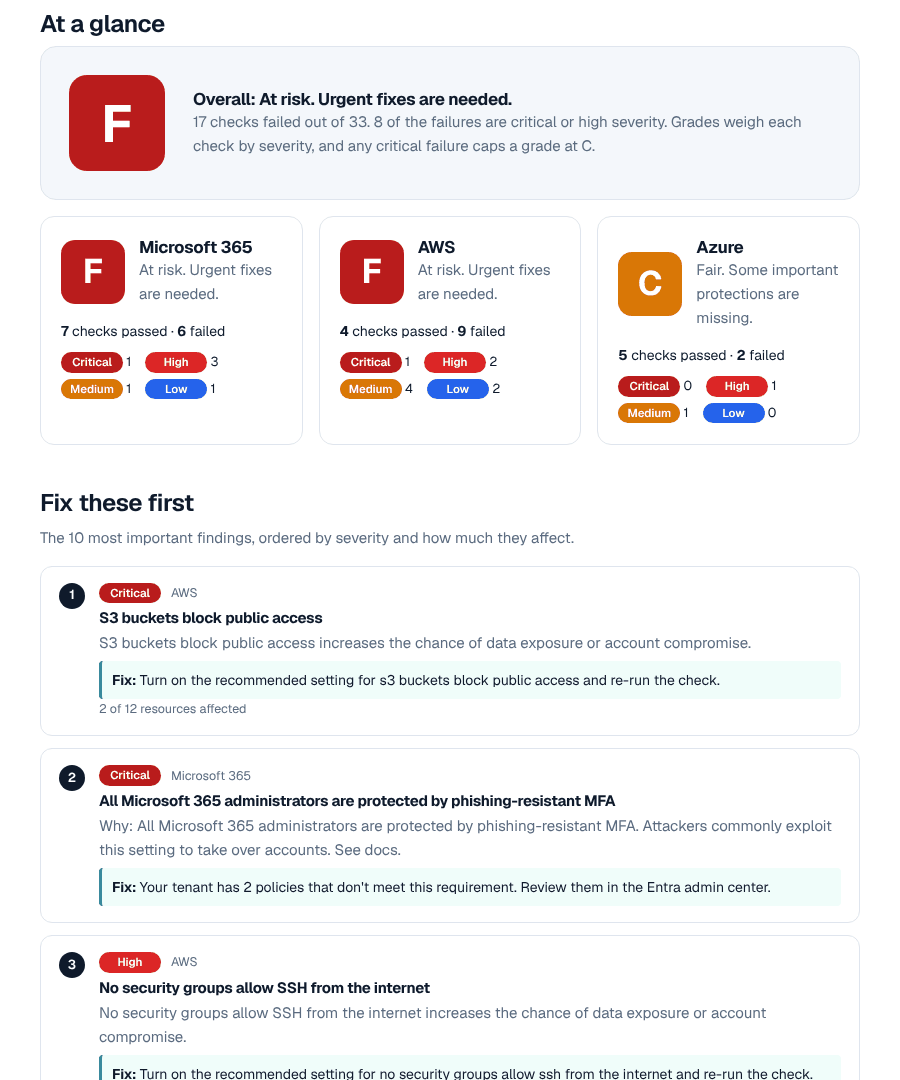
An A to F grade for each area, written for the person who signs the cheques, with the technical detail attached for whoever runs IT.
The ten findings that matter most, each explained in plain language: what it is, why it matters, and how to fix it.
How your settings line up against each framework we check, so you know where you stand before an audit or insurance renewal.
We go through the report with you on a call and answer questions. Any fixes are quoted at a fixed price, only if you want them.
Questions
Yes. The access we ask for can only read settings. It can't change anything, and it's limited to configuration, not your data. The section above lists exactly what we can and can't see.
No. We only read configuration through AWS's standard APIs. Nothing is installed, and API reads like these don't add noticeable cost.
Yes. Deploy the template in each account you want included, and the report covers them all.
Anyone who can create IAM roles in the account. It takes about three minutes.
Yes. The compliance snapshot shows where your AWS setup already lines up and where it doesn't, so you can fix gaps before the auditor finds them.
The assessment is free. If you'd like help fixing what we find, each fix is quoted at a fixed price before any work starts, and you're never obliged to go ahead.
Within two business days of your administrator finishing setup. We then book a 30-minute call to walk you through it.
Tell us a little about your setup and we'll send everything your administrator needs.